Log every trade in your trade journal
Import fills from any platform, net of fees. Link a playbook to each trade and a strategy to each execution. Review with criteria on every row.
What is a trading journal?
A trading journal is a complete log of every trade you take, with the context needed to learn from each execution.
It records entries, exits, fees, tags, and review notes. The raw material for edge discovery. An untagged trade is wasted data.
CSV imports from 13+ platforms
See all integrations Trader Evolution
 NinjaTrader
 Tradovate
 TopstepX
 Project X
 TradingView
 Rithmic R Trader
 Interactive Brokers
 thinkorswim
 DAS Trader
 Lightspeed
Three ways in
Import, enter, or sync automatically
Upload a CSV or log a trade by hand today, with automatic broker sync on the way. Every path nets fees, groups executions, and lands in the same trade log.
Import trades
Upload from 13+ brokers and prop platforms. Map columns once, preview net P&L, and confirm.
Select platform
Upload CSV
Review & map
Confirm
 Everedge CSVDAS Trader ProThinkorSwimNinjaTraderTradovateRithmic
Add trades manually
Enter symbol, side, qty, entry, and exit yourself. Commission templates auto-fill on save.
Brokerage sync
Coming soonConnect your broker and let fills import automatically, so you can skip the CSV after every session.
Auto sync fills
Connect once. Trades import without CSV uploads.
Interactive BrokersConnectthinkorswimConnectDAS Trader ProConnectEvery path lands in the same log. Executions group into trades automatically.
Trade log
Filter, expand, and customize your view
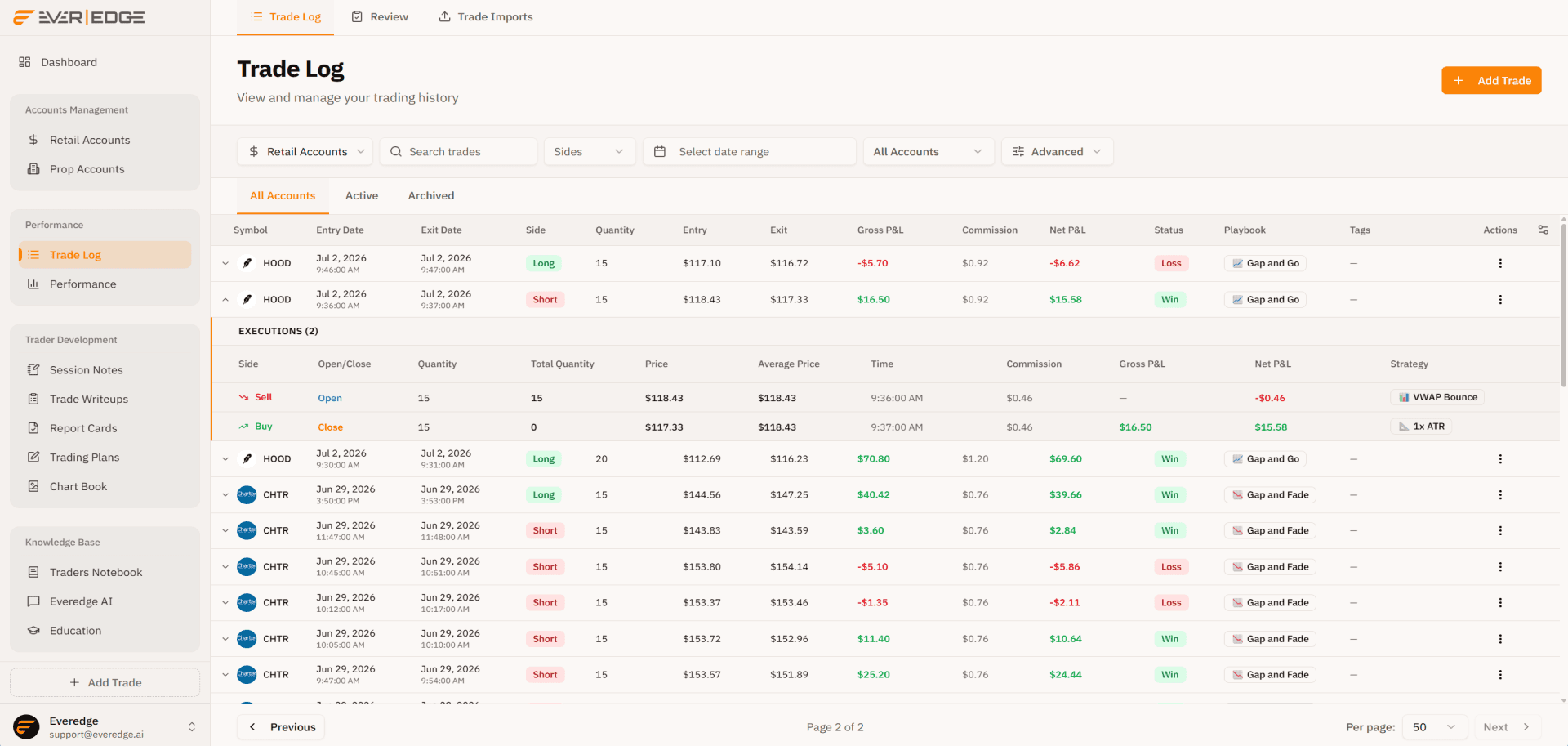
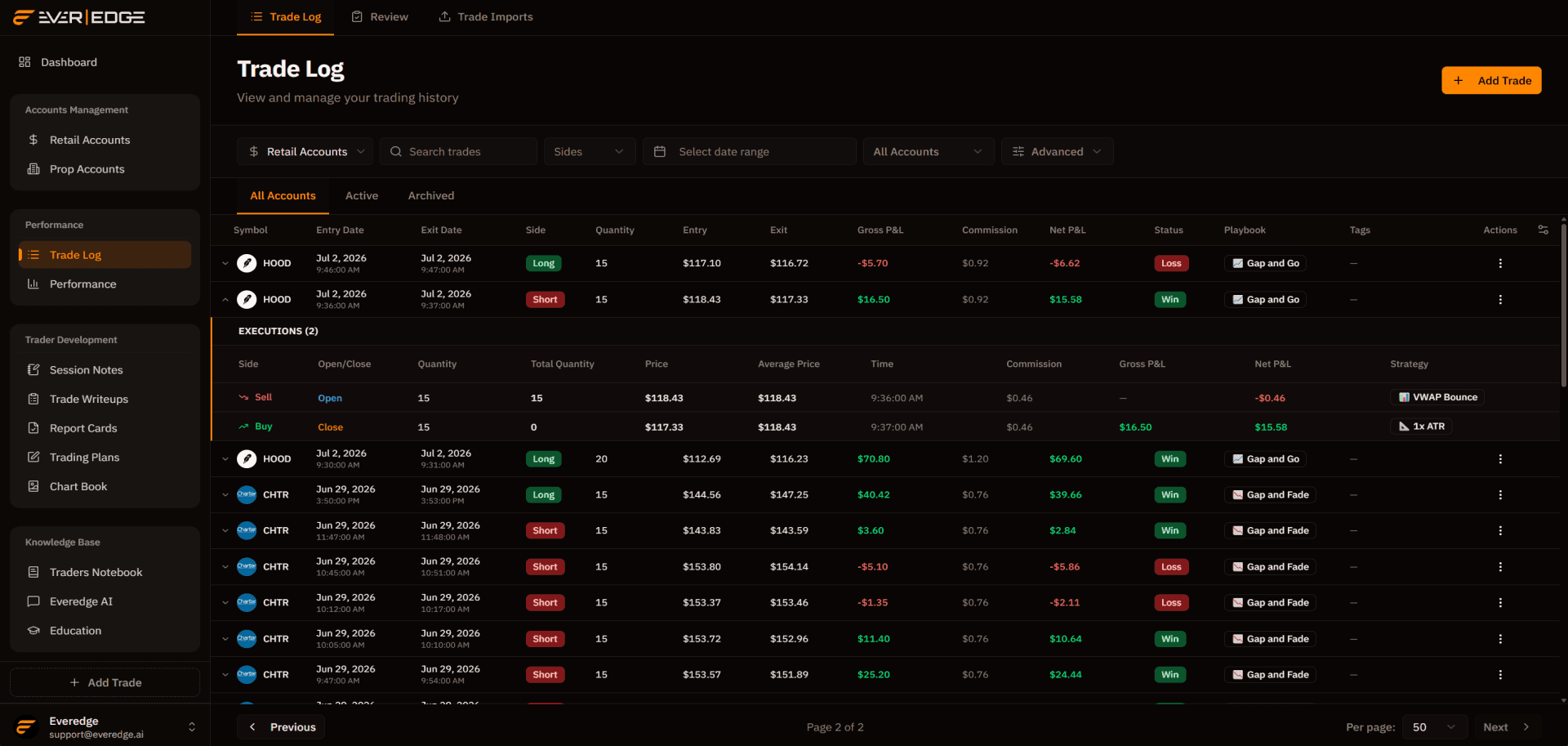
Slice prop and retail accounts, drill into every fill, and shape the table to how you review. Hide columns you skip and keep the fields that matter.
Advanced filtering
Switch between prop and retail, search symbols, set date ranges, and filter active or archived accounts.
Executions (2)
Sell · Open
VWAP BounceBuy · Close
1x ATR NVDA
NVDA AMAT
AMAT TSLA
TSLA AMZNNVDAAMATTSLAAMZN
Execution drill-down
Expand any trade to see every fill, commission, and per-leg strategy tag grouped under one row.
Drag columns between sections to show or hide them. Required columns cannot be hidden.
Hidden · 3 columns
Visible · 5 columns
Add and remove columns
Drag columns between hidden and visible. Account slides over, then slides back, so you only see the fields you need.
Your log, your layout. Built for high-volume review sessions.
Build your trade journal
Start logging every execution with the system built for serious traders.